
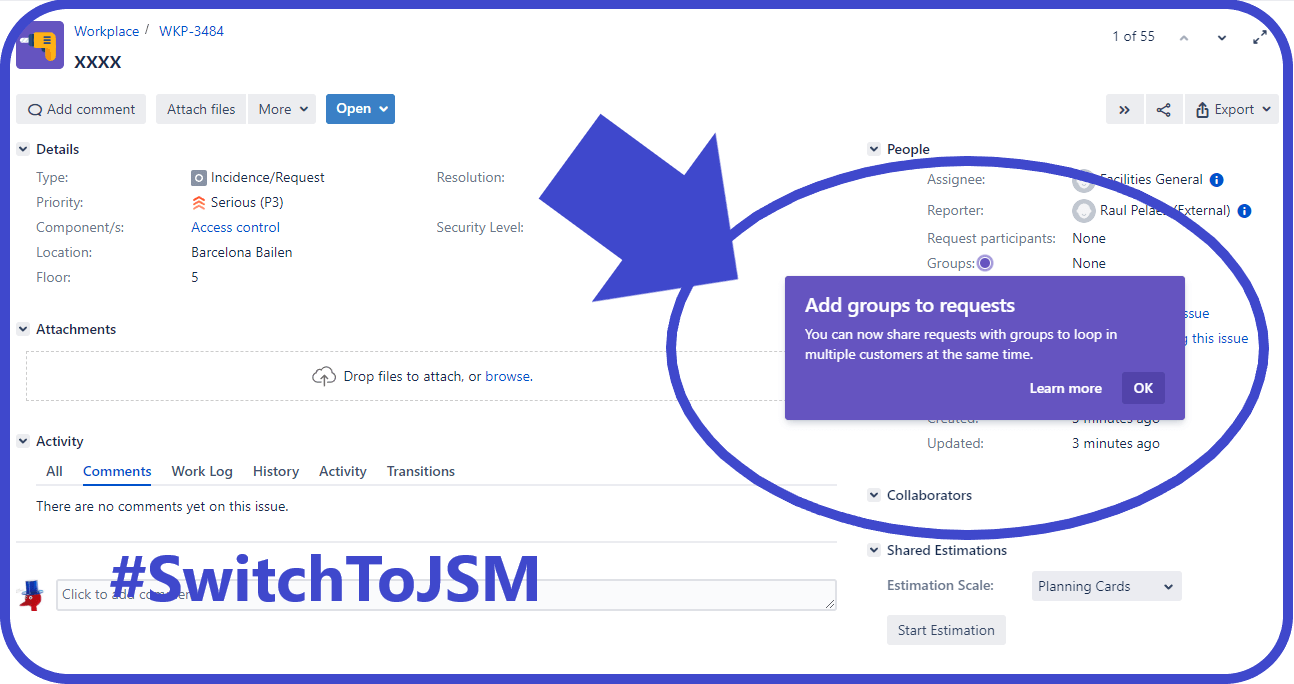
Are you seeking to optimize request management within your service projects on Jira? Utilizing Jira groups could offer the solution you need. In this blog post, we’ll delve into how Jira groups can be employed to effectively share requests, manage permissions, and foster collaboration within your service desk environment.
Understanding Jira Groups
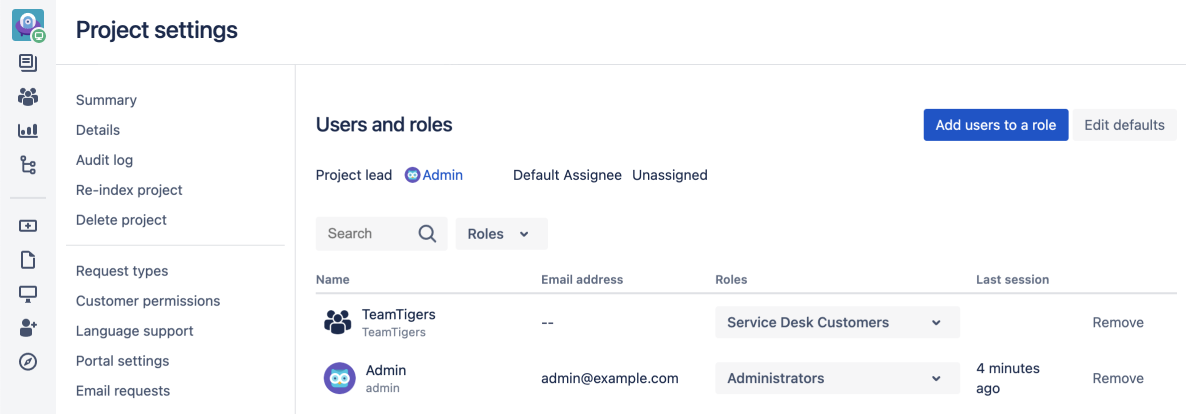
Jira groups represent collections of internal users, typically employees, overseen by Jira administrators. These groups can be incorporated into service projects by project administrators, enabling the assignment of specific roles. This integration with Jira’s user management model facilitates robust management of internal customers within service desks, particularly at scale.
Advantages of Utilizing Jira Groups
Deploying Jira groups within your service projects presents several benefits. By harnessing Jira’s built-in user management and permission settings, you can adeptly manage internal customers while seamlessly integrating with Jira’s ecosystem. Additionally, if your service desk serves both internal employees and external customers, employing groups for internal customers and organizations for external ones can streamline permissions management.
Strategies for Efficient Request Management
Here are key approaches for utilizing Jira groups to share requests within your service desk:
- Bulk Addition of Internal Users as Customers: Project administrators can mass-add internal users, who are part of existing Jira groups, as customers of their service project using the Groups tab on the Customers page.
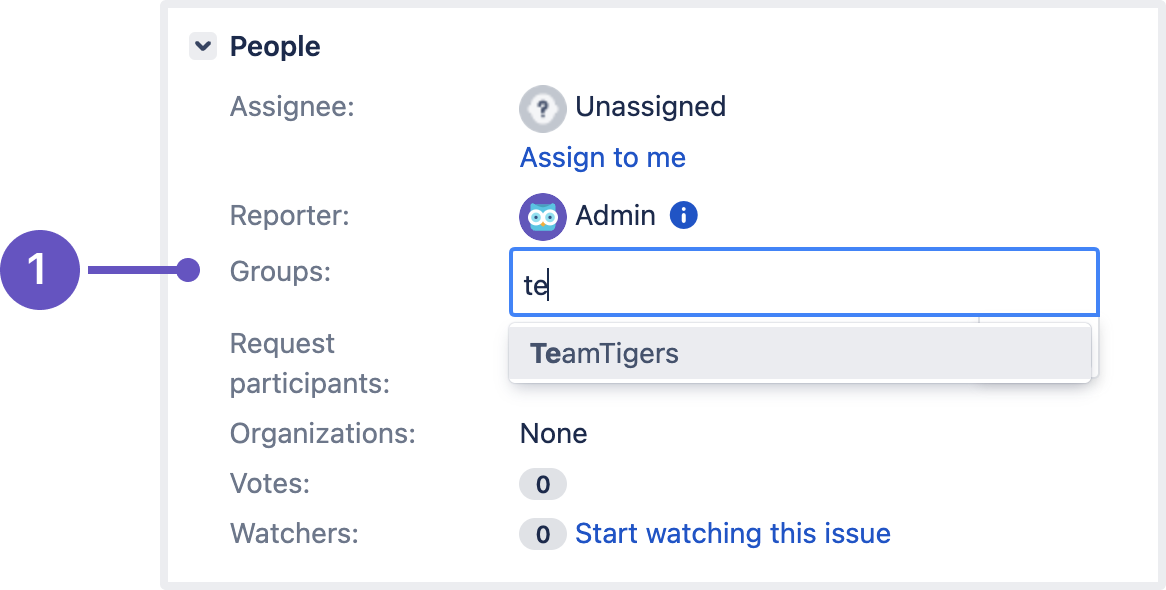
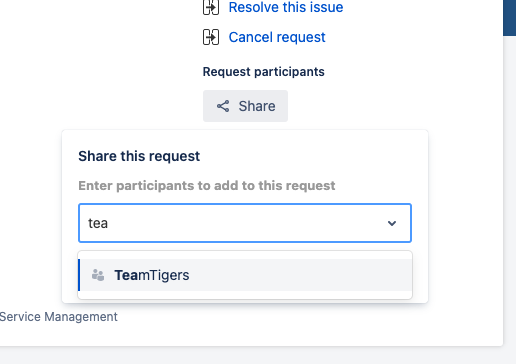
- Streamlined Request Sharing: Project administrators and agents can utilize the Groups field available in the issue view to efficiently share requests with all members of a group, provided the group has been added as a customer of the service project.
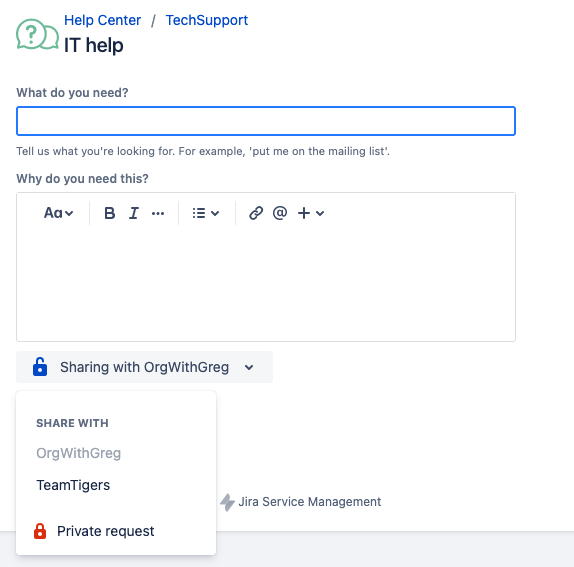
- Enhancing the Customer Portal Experience: Help-seekers from the customer portal can share requests with Jira groups they’re affiliated with, subject to project admin permissions.
Automating Request Management
Automation can further optimize request management processes. By crafting automation rules, requests can be automatically shared with relevant groups, ensuring that the appropriate stakeholders are engaged without manual intervention.
More info in this official link
Extracting Insights from Diverse Audiences
Jira groups also empower agents to extract insights from diverse audiences without additional permission management. Whether it involves building a pool of internal voters for a request or utilizing a single request form to gather data, Jira groups facilitate effective collaboration and communication within your organization.
Created by MrAddon by TecnoFor by Sngular
#SwitchToJSM #AtlassianCreator
.


 www.MrAddon.com ®: Jira & Confluence Administration Support Blog